Multilingual Vocabulary Learning App
Built a personal vocabulary app that turns the learner's own words into flashcards and generated tests, schedules reviews from answer accuracy, and imports book text from PDFs to learn new words from a PDF file. React and NestJS for the web app, and Python for PDF extraction. Frontend Backend
Context
Ostrich Learner is a vocabulary app from a Computer Science bachelor's project at Ivane Javakhishvili Tbilisi State University. The product gives the learner a place to choose the words, practice them, and come back to them on a schedule that follows how accurately they are remembered. The interface itself is available in Georgian, Russian, and English, separate from the language pair being studied.
What the app does
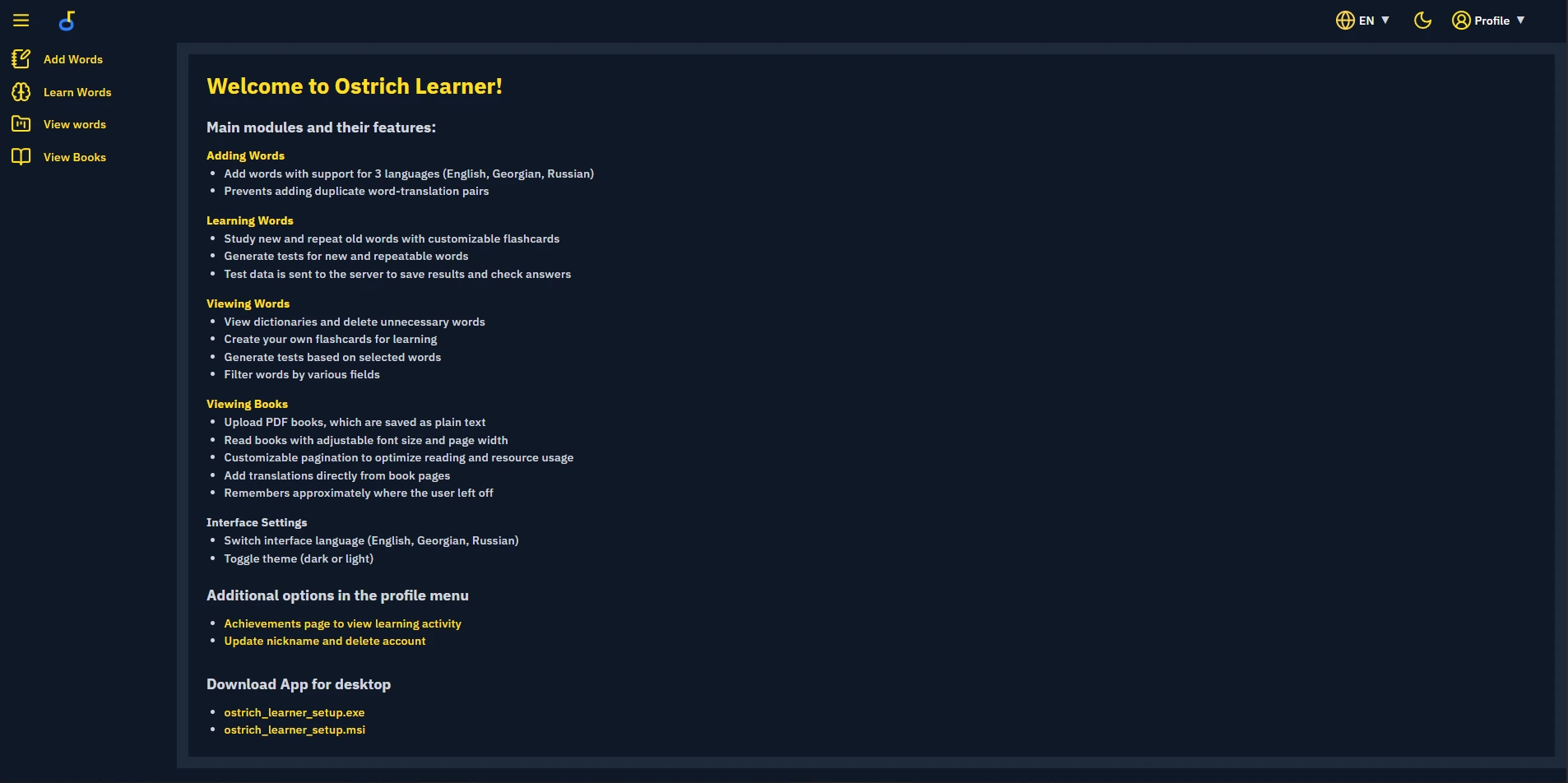
The home screen is the map of the product. Users add word-translation pairs in English, Georgian, or Russian, study them with flashcards or generated tests, manage the dictionary, and read uploaded books as plain text. Interface language and the light or dark theme are switched from the header. The profile menu holds an achievements view, nickname updates, and account deletion. The same page offers the Windows desktop installers.
How the app works
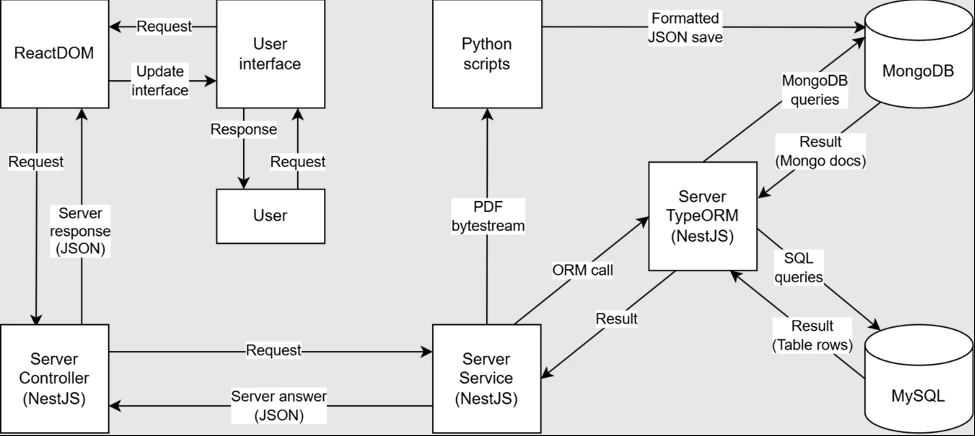
The UI is React and TypeScript, with TanStack Query for server state and Tailwind CSS for styling, including theme and locale. Requests go to NestJS controllers and then to services. The word module owns word status and the repetition schedule. The test module builds a personalized test and grades answers. The progress module aggregates results for the calendar. The books module talks to the Python extractor. TypeORM maps MySQL, which holds profiles, settings, word lists, and progress, and MongoDB, which holds the processed books. Docker Compose runs the databases locally so the API can be developed against isolated instances. Tauri was used to generate a desktop version of the application.
Adding a word
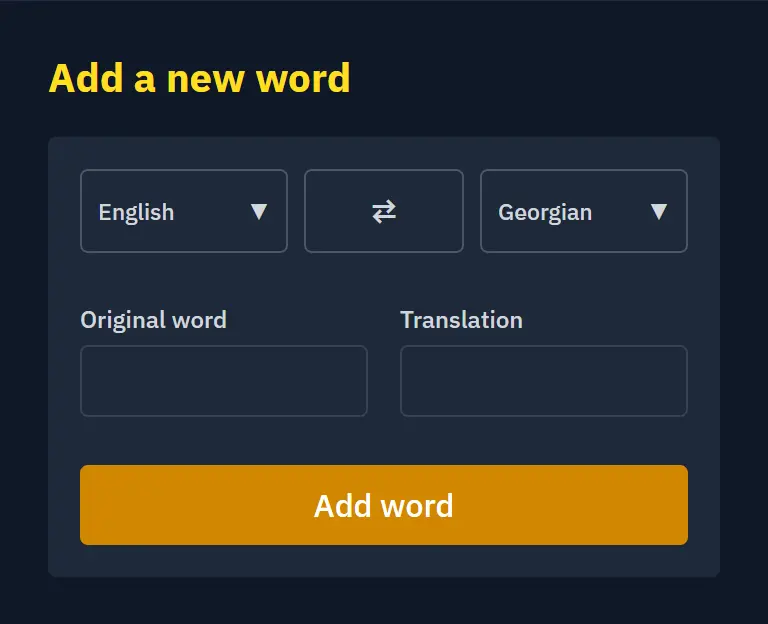
A new entry is a language pair: origin language, translation language, the word, and its translation. The form rejects a duplicate pair before it reaches the dictionary, so later flashcards and tests are built from a clean list.
Dictionary
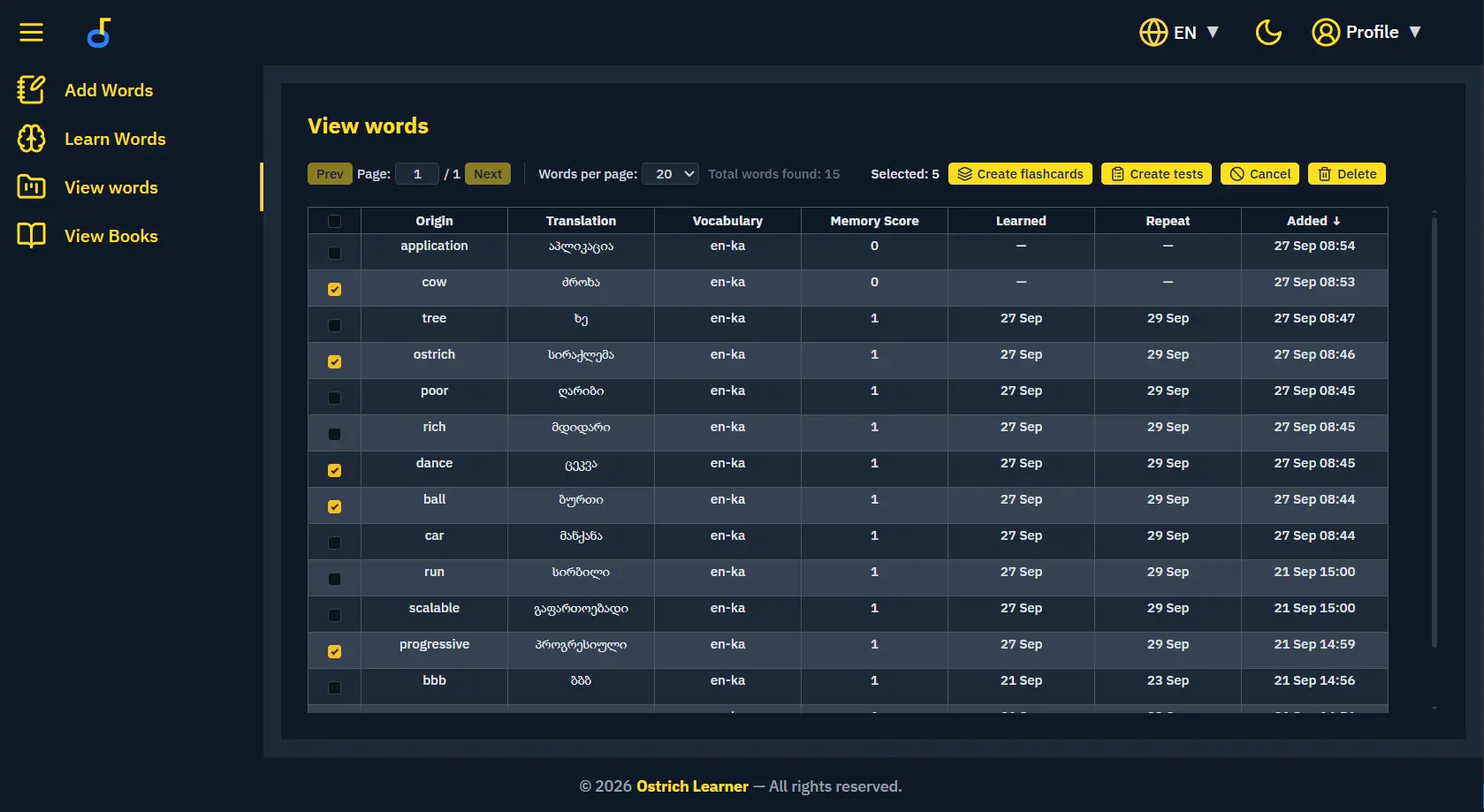
The words table is where a study set is assembled. Each row keeps the origin, translation, vocabulary pair, memory score, learned date, next repeat date, and the date the word was added. Selected rows become a flashcard deck or a custom test, or they can be deleted. Page size and column filters narrow a larger dictionary to the words for one session. Memory score and the repeat date are written on the server from test results, and later sessions use those fields to prefer words that are still weak.
Study modes
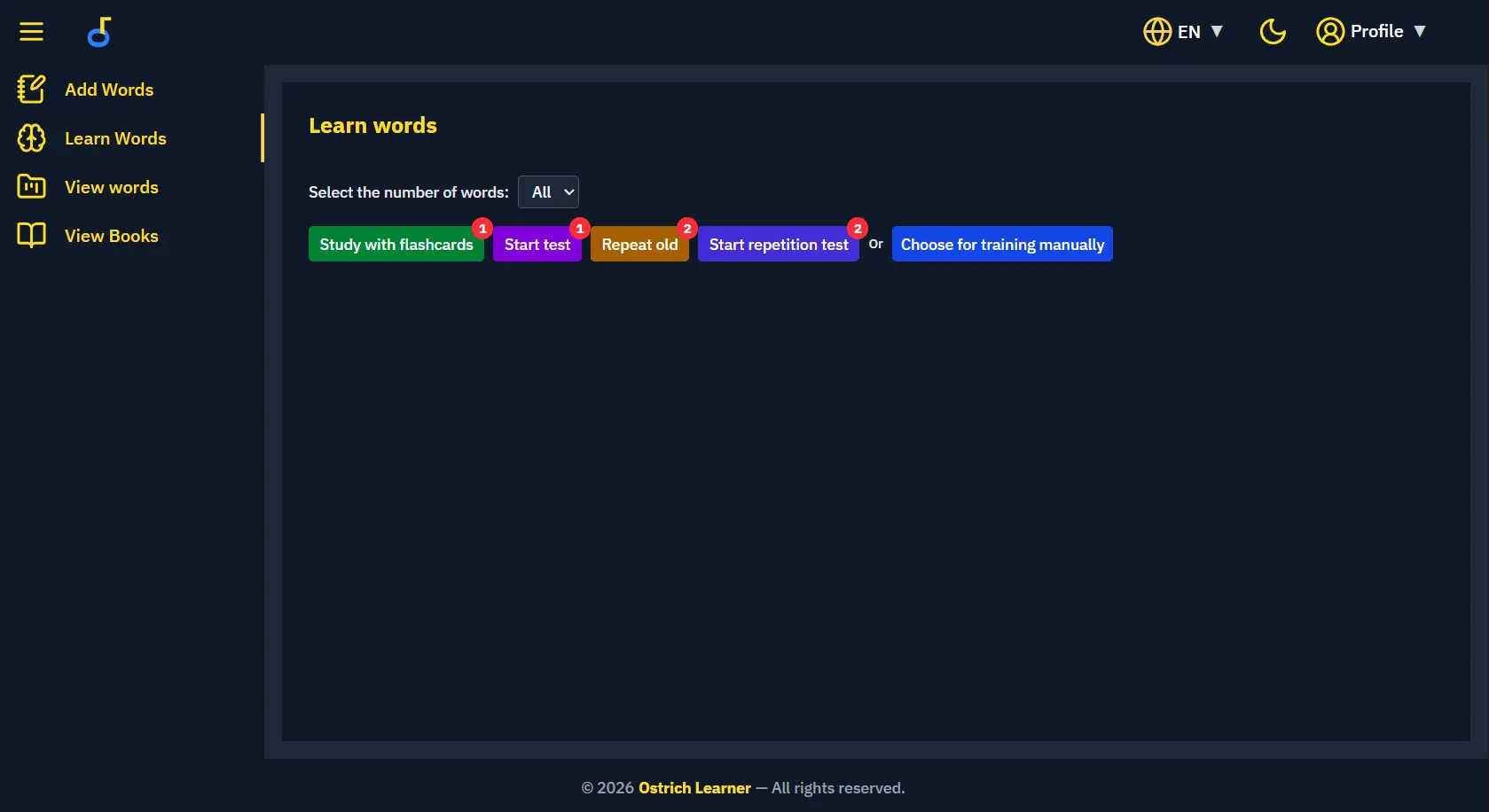
Learn words is the entry point for a session. The user sets how many words to include, then picks a mode. Flashcards are for studying the current set. Start test generates a test from words that are due. Repeat old and the repetition test pull words that already have a review date. Manual training uses the selection from the dictionary. Counts on the buttons show how many words are waiting in that queue. The same screen lives in the app shell, next to the locale switcher and the theme toggle.
Flashcards
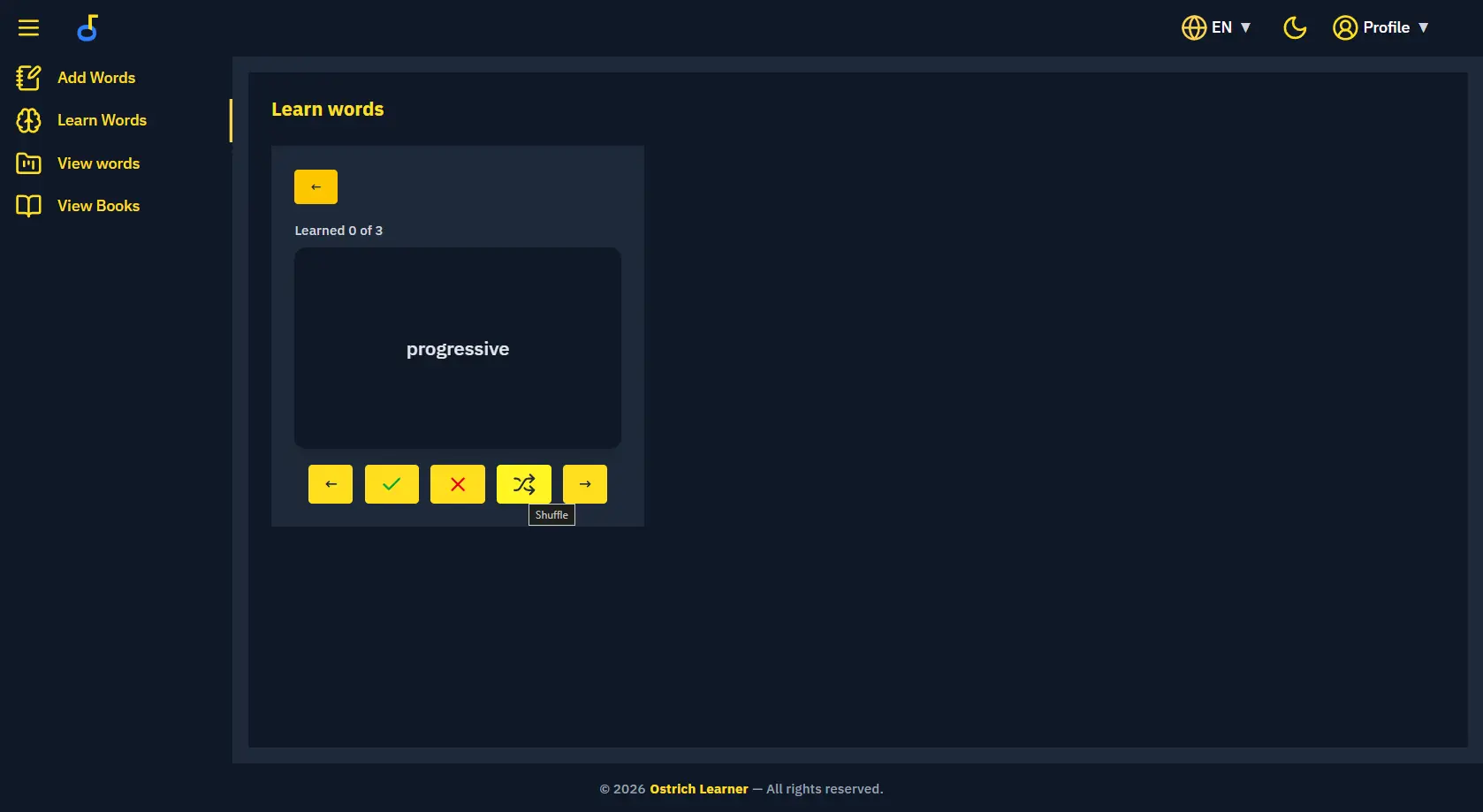
A flashcard session shows one origin word at a time and how many of the selected words are marked learned. The card flips to the translation. Known and unknown marks, shuffle, and previous or next move through the deck. Those marks update the memory score that the repetition schedule reads later.
Generated tests
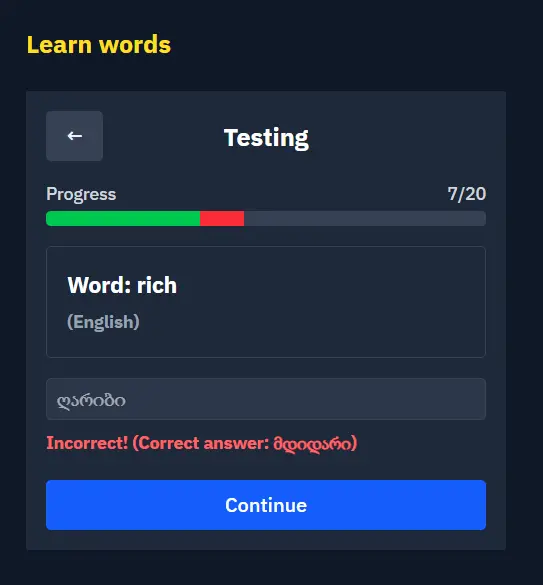
Tests are generated from the user's own words. Each step shows the origin word, a progress bar across the set, and a field for the translation. The answer is checked on the server, because a typed translation can be valid for another word that is outside the current test. A match is confirmed immediately and the bar marks that step as correct. A miss shows the expected translation and marks the step as wrong before the learner continues. Both outcomes are stored so the word's memory score and next review date can change.
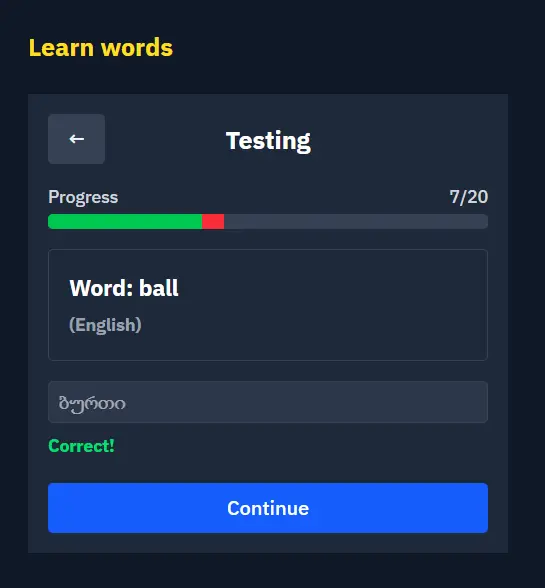
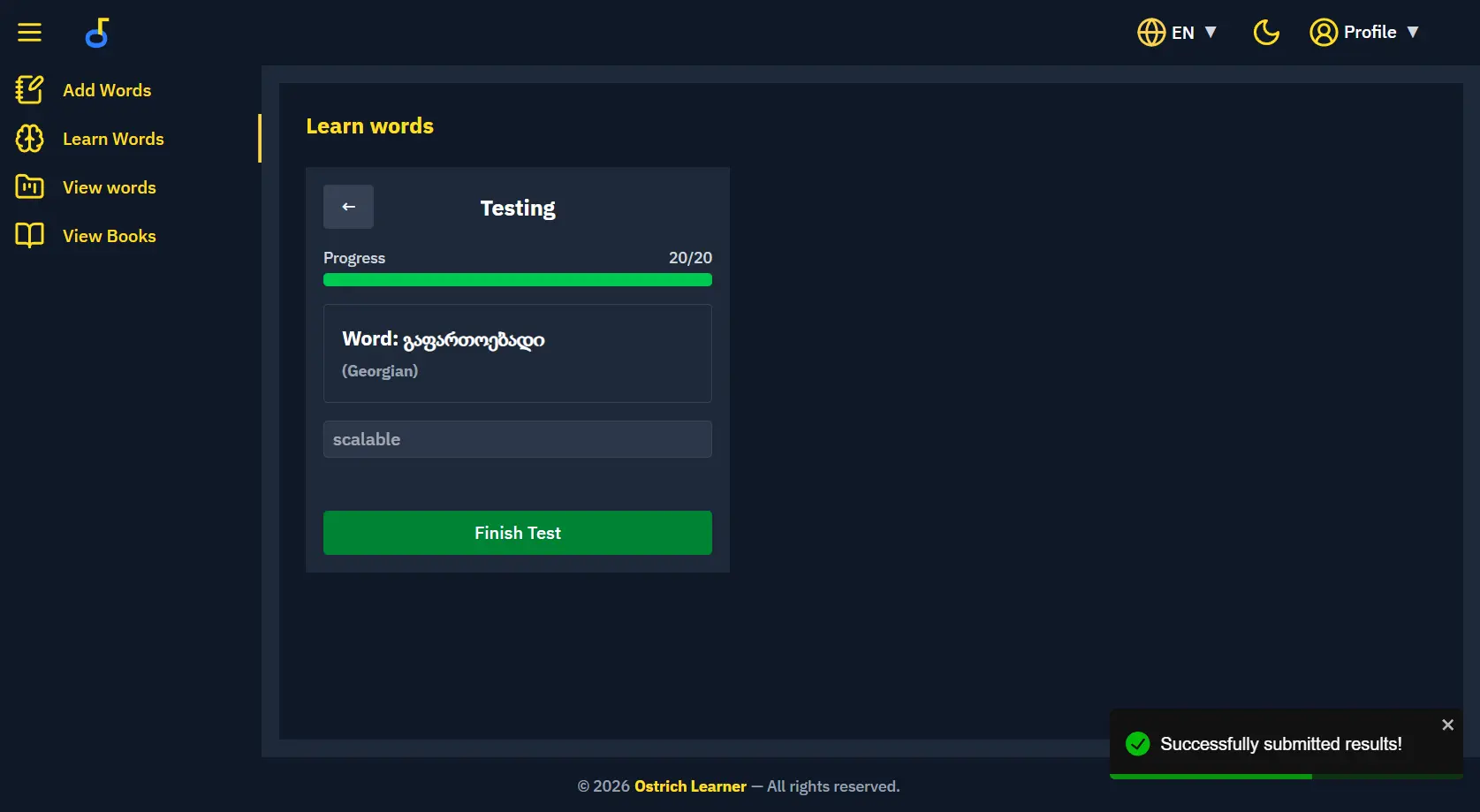
A correct translation is confirmed on the spot and the progress bar marks the step as passed.
Spaced repetition
Review scheduling follows answer accuracy. A correct answer raises the memory score and pushes the next repeat date further out. A wrong answer keeps the score low and brings the word back into the repeat-old and repetition-test queues. The algorithm changes both how often a word is asked and which words a new test prefers, so practice stays on what is still weak.
Progress
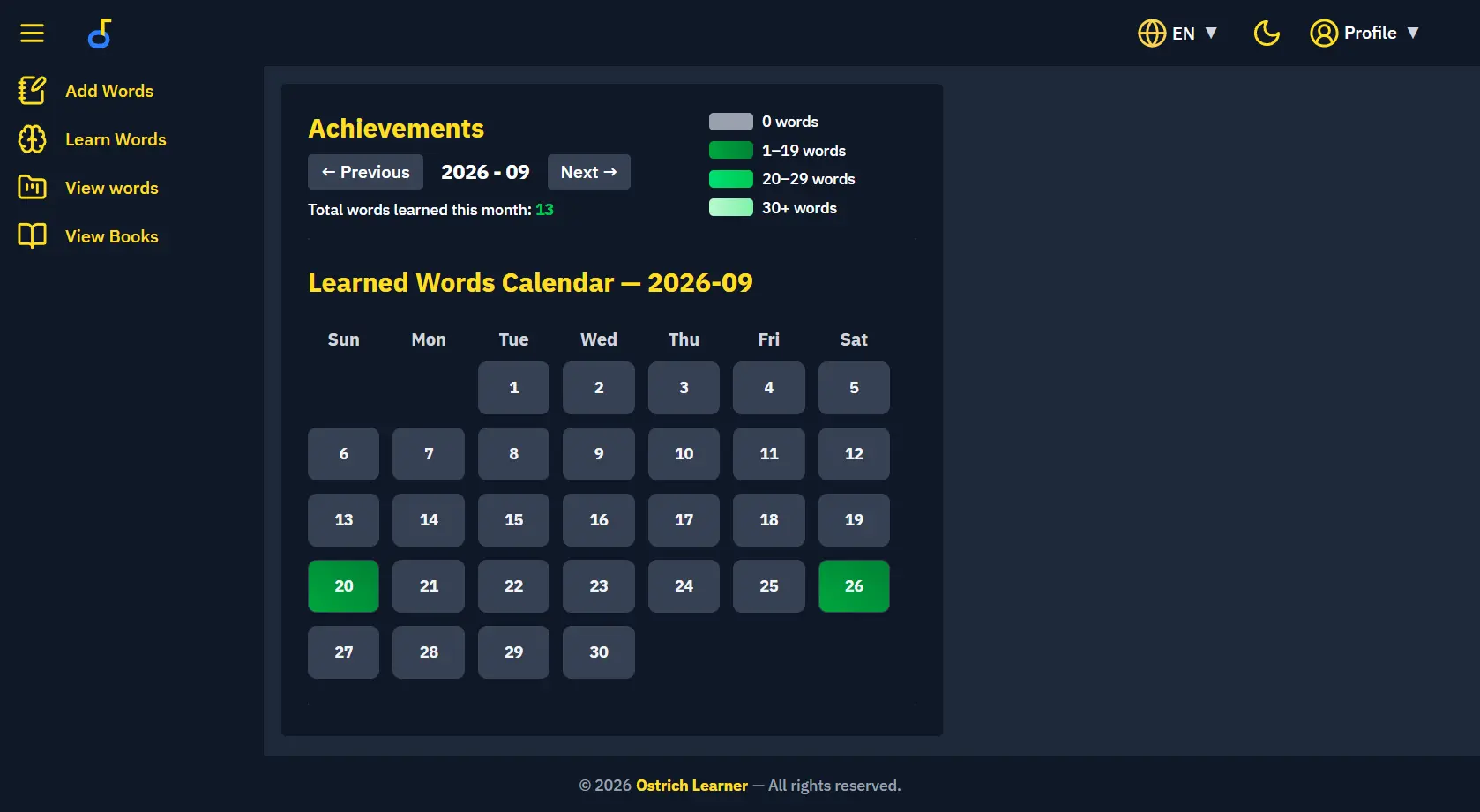
The achievements calendar records how many words were learned on each day. Days are colored by volume, from an empty day up through heavier study days, and the month keeps a running total. That view makes a streak and a gap visible, which is the feedback the rest of the study loop is built around.
Books
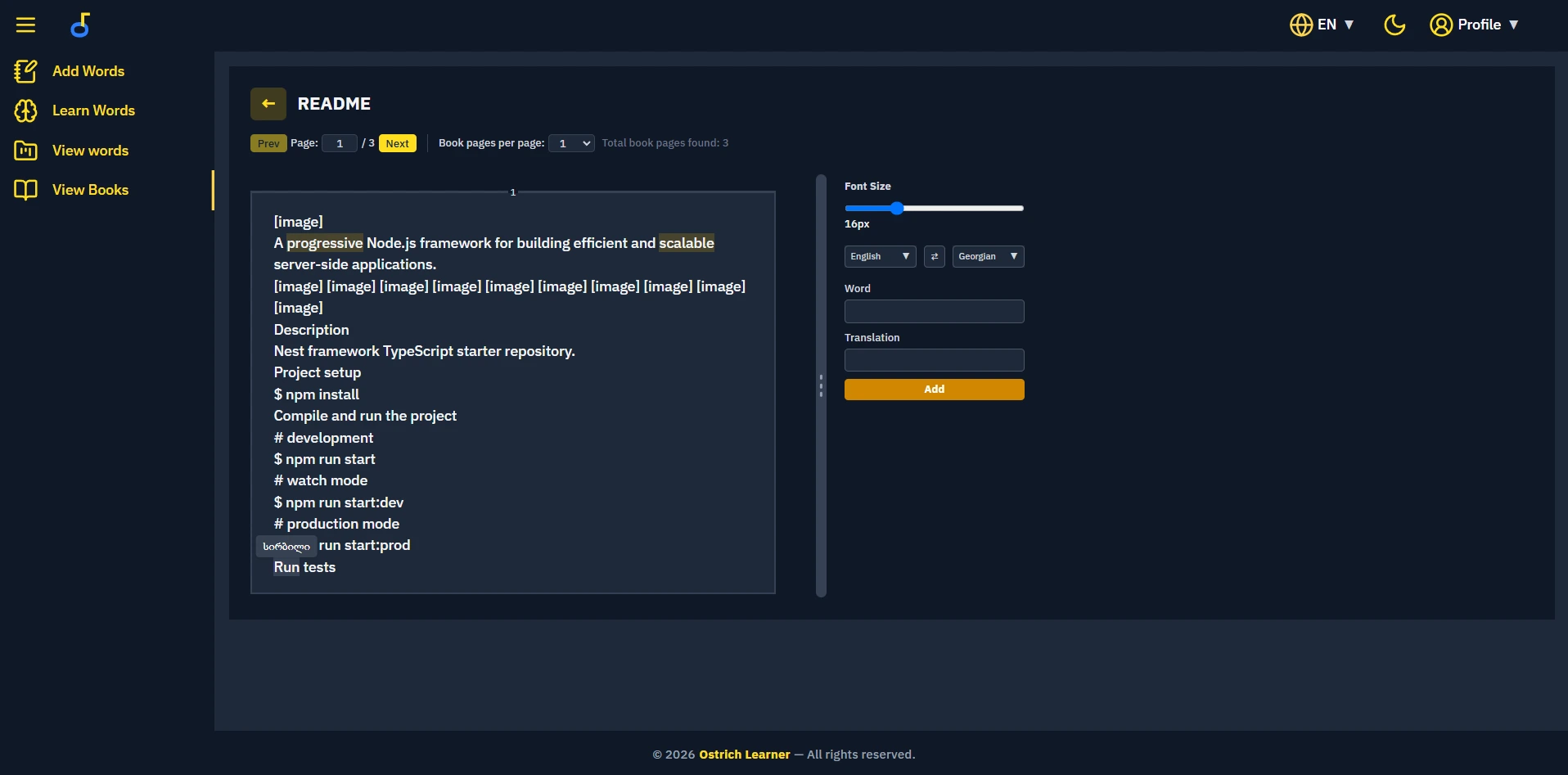
Books are PDFs the user uploads, stored as page text. I first tried to keep images, fonts, and layout in the JSON document. After optimization that file was still about three times larger than the original PDF, so the pipeline keeps extracted text and page information. NestJS sends the file as a byte stream to a Python executable built with PyMuPDF and pdfplumber. The script returns structured JSON, and MongoDB stores the book. The library shows each book with reading progress so it can be resumed. Inside the reader, page size and font size are adjustable, and a side form saves a word from the page straight into the dictionary with the chosen language pair. Image regions from the PDF stay as placeholders, because the stored book is the text.
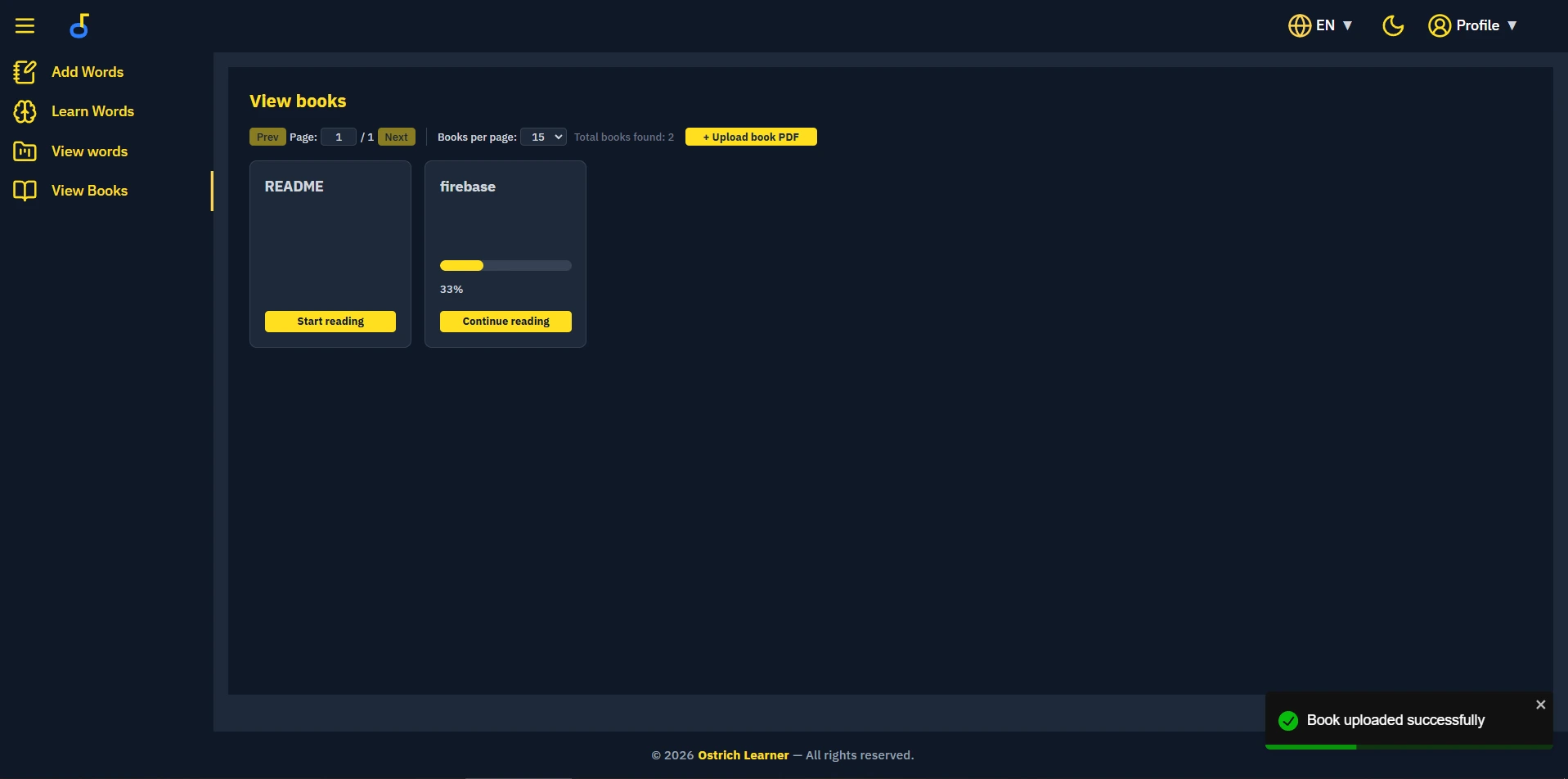
Uploaded books with reading progress, resume, and PDF upload.