AI-Powered Multi-Tenant Platform
Built a NestJS-based microservices backend platform as an npm workspaces monorepo with real-time communication, AI-powered chat with RAG, multi-tenant data isolation using PostgreSQL RLS, Firebase Storage, and comprehensive authentication with Redis-backed session management. GitHub
Context
The project required building a backend platform that could support multiple organizations with isolated data, real-time user communication, and AI-enhanced functionality. The architecture needed to be service-oriented rather than monolithic, with clear separation between a main API layer and internal microservices. The system had to handle real-time events, authentication across multiple tenants, and AI-powered features that could retrieve and process contextual information.
Backend Architecture & Integration
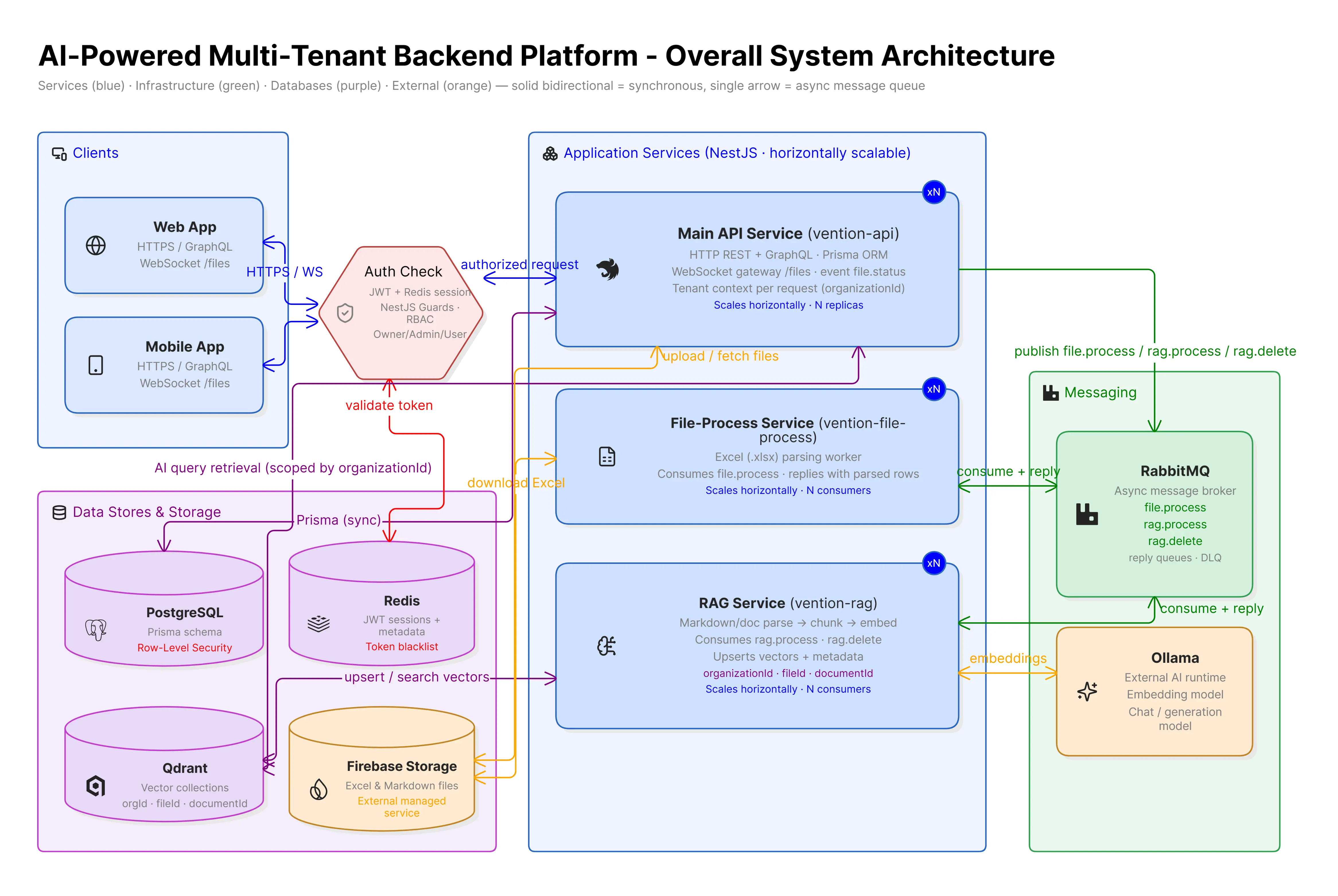
The backend combined several communication patterns: REST for standard CRUD, GraphQL for more complex queries, WebSocket/Socket.IO for real-time events, and RabbitMQ for async work between services. The main API routed requests, talked to internal services, and aggregated responses so user traffic, live events, and background jobs could run side by side. Local setup was Dockerized with Compose - main API, microservices, PostgreSQL, Redis, Qdrant, and RabbitMQ - using dynamic Dockerfiles from the npm workspaces config, which kept environments consistent and made individual services easier to run and scale.
Authentication & Authorization
Authentication was implemented using JWT tokens passed through request headers. Redis was used for session and token management, enabling efficient token storage and retrieval. The system included token invalidation and blacklisting so that previously issued tokens could be revoked when needed. I implemented organization-based access control with user roles including Owner, Admin, and User. NestJS guards, middleware, and interceptors were used to enforce authentication and authorization policies throughout the application. WebSocket connections required authentication with token and organizationId for real-time file status updates.
Multi-Tenancy & Data Isolation
A core architectural requirement was isolating data between organizations. This was implemented using PostgreSQL Row-Level Security (RLS) to enforce tenant isolation at the database level rather than relying only on application-level filtering. I used Prisma ORM for database access and migrations, designing schemas that supported multi-tenant data structures. The system established tenant context for each request and ensured that database queries respected the current organization and user context. This approach provided stronger data isolation guarantees than application-level filtering alone.
Microservices Architecture
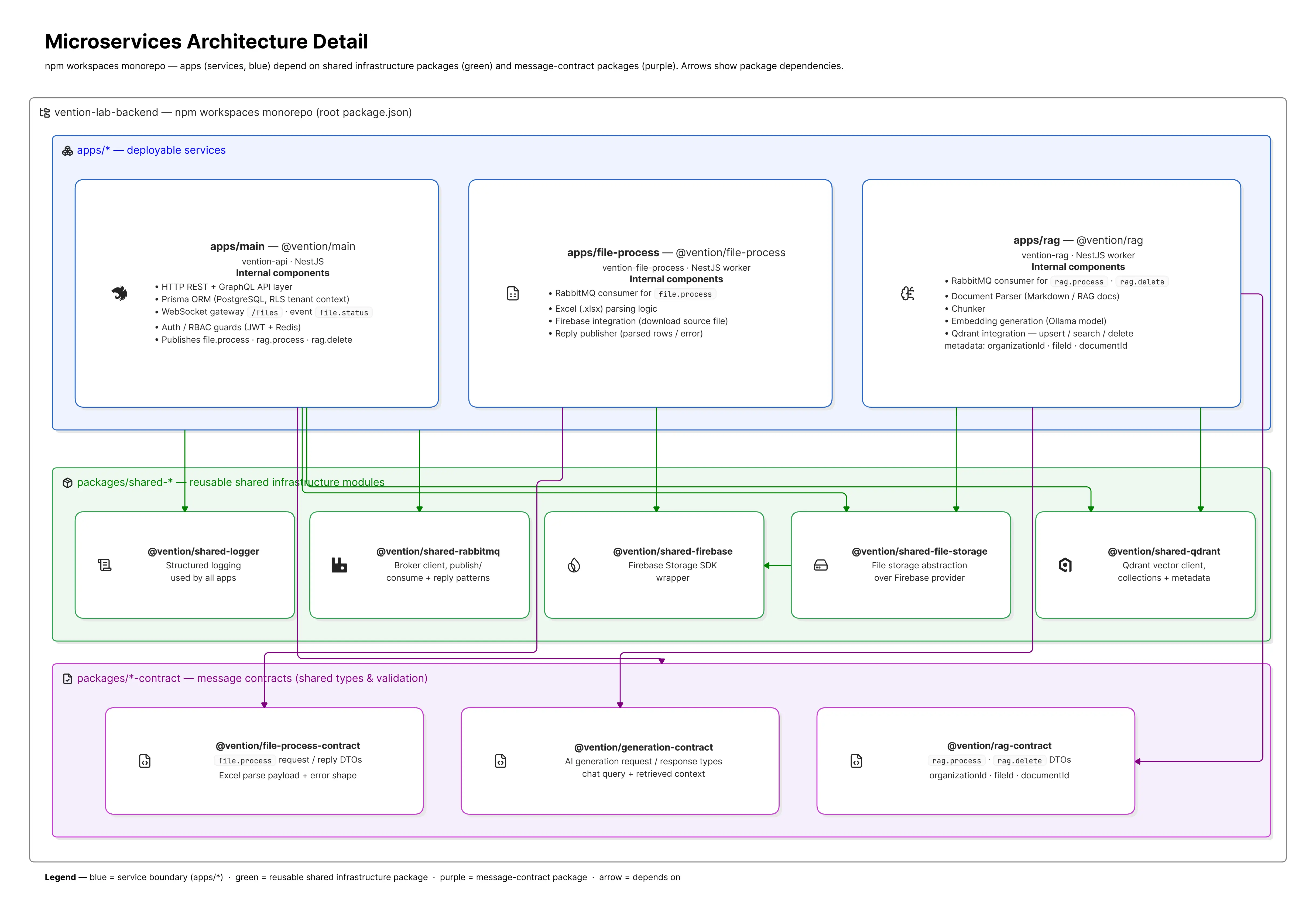
The backend was designed as a microservices architecture implemented as an npm workspaces monorepo. I separated functionality into distinct services with clear boundaries: a main API service for HTTP/GraphQL and application orchestration, a file-process microservice for Excel parsing, and a RAG microservice for document processing and vector generation. Services communicated through shared contracts and reusable packages, avoiding code duplication across services. I established shared infrastructure packages (@vention/shared-logger, @vention/shared-rabbitmq, @vention/shared-firebase, @vention/shared-file-storage, @vention/shared-qdrant) and message contract packages (@vention/file-process-contract, @vention/generation-contract, @vention/rag-contract) that could be consumed by multiple services. Docker Compose was used to containerize the development environment, and RabbitMQ handled asynchronous communication between services with dynamic Dockerfile generation for workspace packages.
File Processing Pipeline
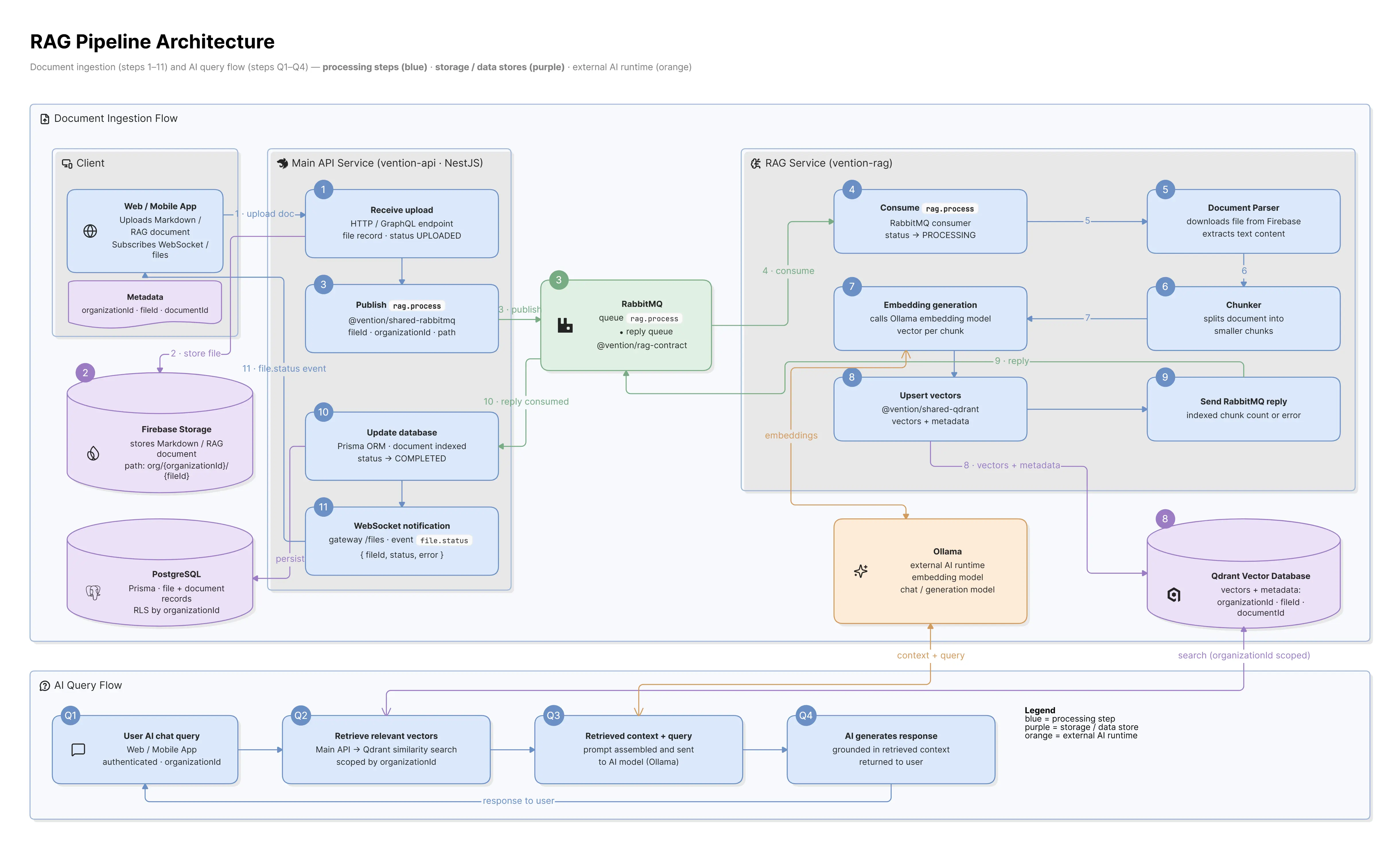
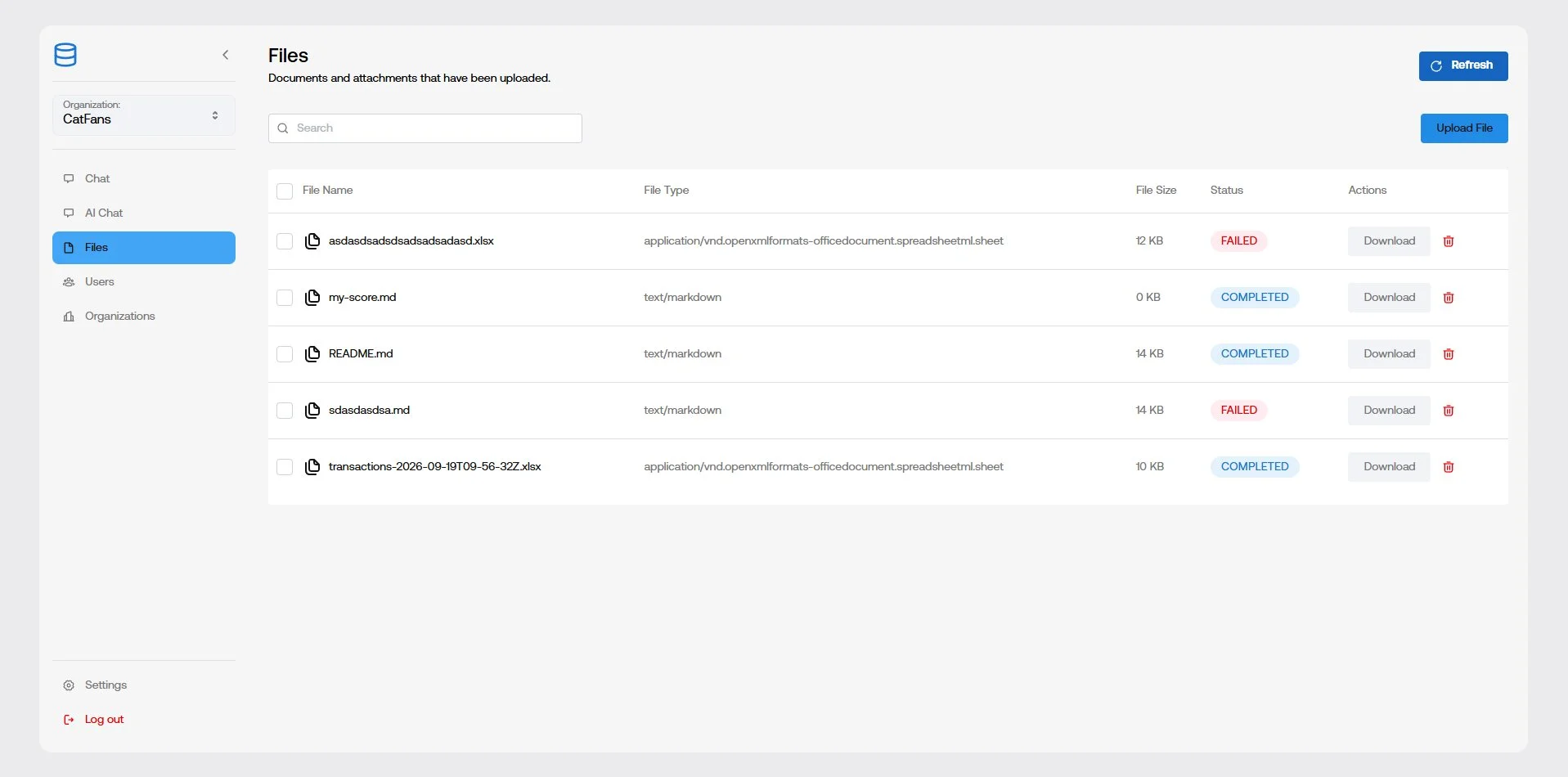
The backend implemented a comprehensive file processing pipeline using RabbitMQ for asynchronous communication between services. For Excel files, the pipeline handled API upload to Firebase Storage, RabbitMQ message to the file-process service, Excel parsing, database updates, and WebSocket notifications. The file status lifecycle tracked each file through UPLOADED → PROCESSING → COMPLETED or FAILED states, with real-time WebSocket updates keeping the frontend synchronized with processing progress. For PDF and Markdown documents, the RAG pipeline supported processing through document parsing, content chunking, embedding generation using Ollama models, and vector storage in Qdrant. Qdrant stored vectors together with metadata such as organization and document/file identifiers, allowing searches to be scoped to the appropriate tenant. The file processing pipeline used RabbitMQ for asynchronous communication between the main service and the RAG microservice, with the same status lifecycle ensuring consistent tracking across all file types.
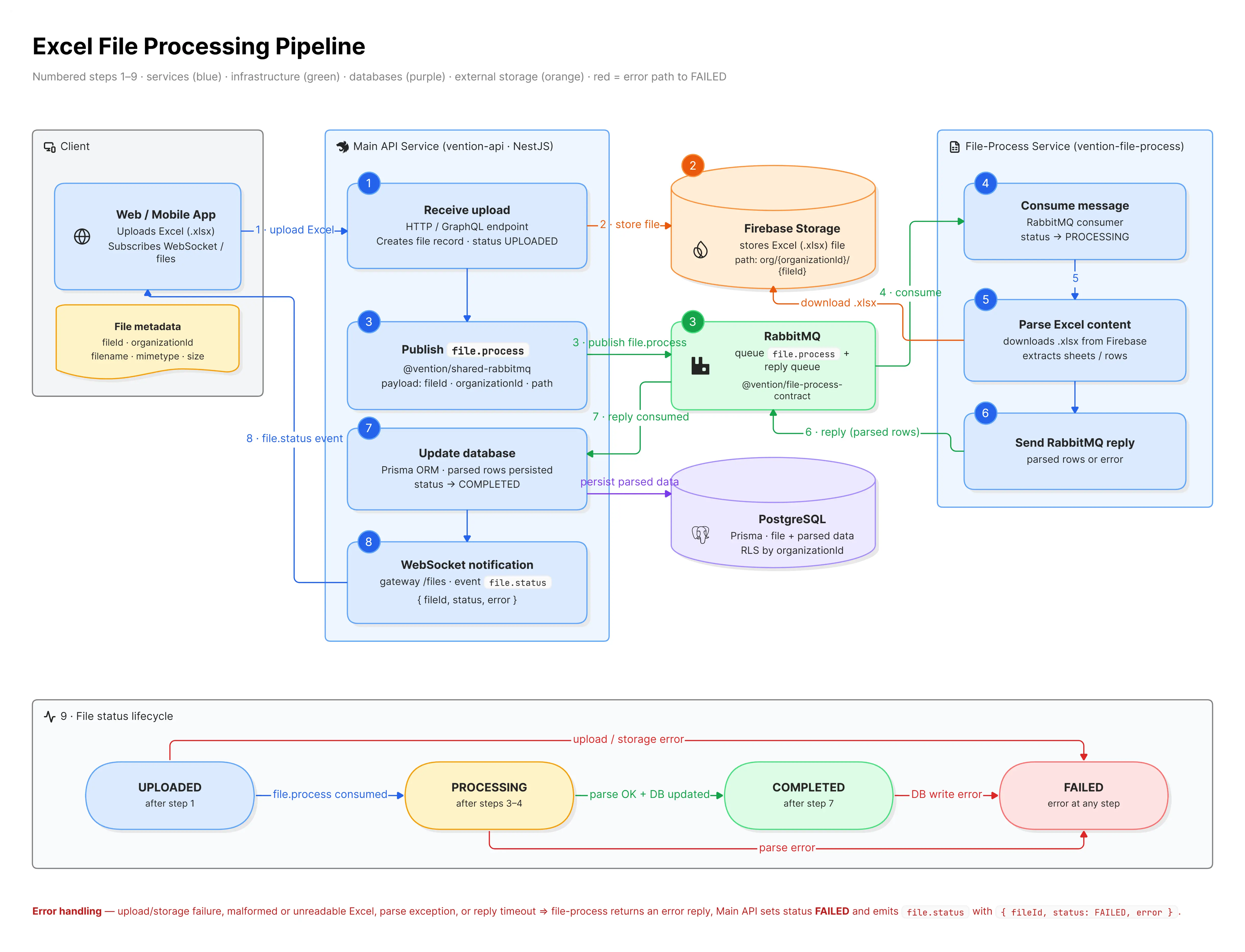
Step-by-step flow diagram showing how Excel files are processed through the microservices architecture
Frontend Integration & Real-Time Communication
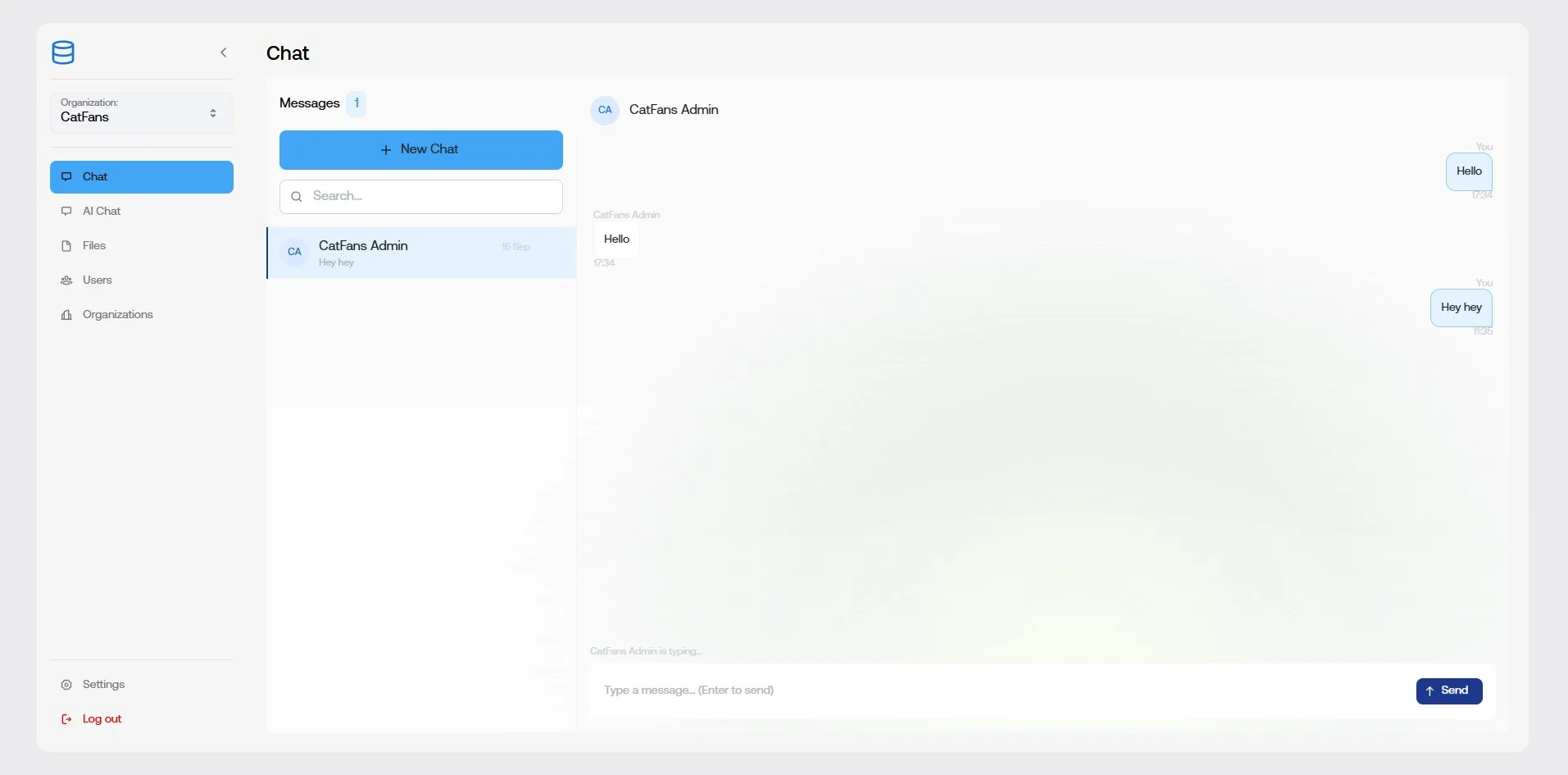
The backend services were connected to a basic frontend application built primarily to demonstrate the backend capabilities rather than for production use. The frontend had minimal styling and focused on functional implementation to showcase the API features. Real-time communication was implemented using WebSocket and Socket.IO, enabling live chat functionality with instant messaging, typing indicators, and connection events. The main service exposed file processing status through WebSocket events under the /files namespace, allowing the frontend to receive real-time updates on file uploads, processing progress, and completion status without requiring polling. Users could upload various file types through the frontend interface, with the system handling Excel files through the dedicated file-process service and PDF/Markdown documents through the RAG pipeline. The AI chat interface provided users with contextual responses powered by the RAG system, retrieving relevant information from the organization's document corpus.
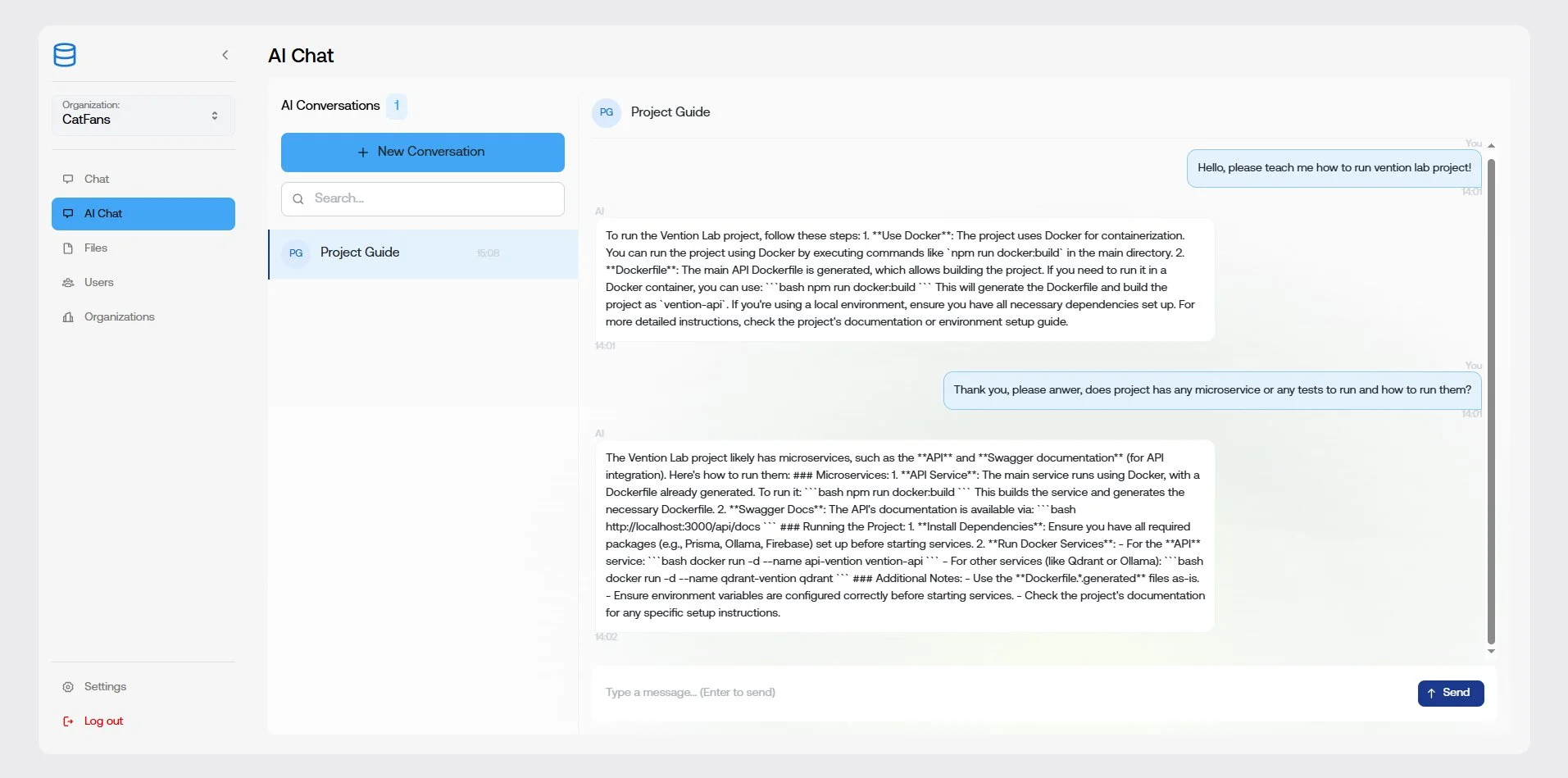
AI-powered chat interface showing RAG-enhanced responses with contextual information from uploaded documents